
Disclosure: As an Amazon Associate, Arthritis Wares earns from qualifying purchases at no extra cost to you. We are not paid or sponsored by any manufacturer. Affiliate links help support our work.
Smart home technology isn’t just about convenience. For someone living with arthritis, the right device can eliminate a small but difficult physical task—pressing a switch, twisting a key, reaching for a control, bending to start a machine, or repeatedly handling an appliance.
The goal isn’t to turn your entire home into a high-tech system. It’s to identify the tasks that are hardest for you and use automation where it genuinely makes everyday life easier.
From voice-controlled lights to smart plugs, keyless locks, robot vacuums, and motion-activated devices, there are now many ways to reduce unnecessary hand movements and physical effort around the home.
Quick Answer: Which Smart Home Gadgets Help With Arthritis?
The most useful smart home devices are those that remove a specific movement that has become difficult.
| Smart home gadget | Problem it can reduce | How it helps |
|---|---|---|
| Voice assistant | Pressing buttons and controls | Lets you operate compatible devices by voice |
| Smart bulbs | Reaching and pressing switches | Control lights by voice, app, schedule, or automation |
| Smart plugs | Reaching switches | Turn compatible devices on or off remotely |
| Smart thermostat | Reaching or walking to controls | Adjust temperature from a phone or by voice |
| Smart door lock | Key twisting and fine grip | Provides keypad, app, or other keyless entry options |
| Motion-sensor lights | Finding and operating switches | Turns lights on automatically when movement is detected |
| Touchless faucet | Turning faucet handles | Uses a sensor instead of a manual handle |
| Robot vacuum | Pushing and pulling a vacuum | Automates much of routine floor cleaning |
| Motorized blinds | Pulling cords or reaching | Opens and closes blinds electronically |
| Smart kitchen devices | Repeated button or control use | Can simplify some cooking and appliance tasks |
You don’t need all of these. Start with the one device that solves your biggest everyday frustration.
How Smart Home Technology Can Help With Arthritis
Many everyday household tasks involve the same movements that can become difficult when arthritis affects your hands or other joints:
- Gripping
- Pinching
- Twisting
- Pressing small buttons
- Reaching
- Bending
- Pushing and pulling
- Repeating the same movement throughout the day
Smart home technology can sometimes eliminate the movement entirely.
For example, instead of walking across the room and pressing a light switch, you might use a voice command. Instead of twisting a key, you might use a keypad. Instead of pushing a traditional vacuum around the house, you might use a robot vacuum for routine cleaning.
The best smart-home upgrade is therefore not necessarily the most sophisticated one. It’s the one that removes a task you regularly struggle with.
1. Voice Assistants: Control Compatible Devices Without Reaching
Voice assistants can act as the central control point for many smart-home devices.
Instead of physically interacting with several different controls, you can use voice commands to operate compatible lights, plugs, thermostats, and other devices.
Why voice control can be useful for arthritis
Voice commands can reduce the need to:
- Press small buttons
- Reach for switches
- Handle a phone repeatedly
- Twist physical controls
- Get up to operate certain devices
You can also use voice assistants for timers, reminders, shopping lists, weather information, and hands-free calls.
This can be particularly useful when your hands are stiff or when a task would otherwise require repeated physical interaction.
What to look for
When choosing a voice assistant, consider:
- How accurately it recognizes your voice
- Compatibility with your existing smart-home devices
- Whether it works without requiring frequent phone interaction
- How easy the setup process is
- Whether you can create routines for several devices at once
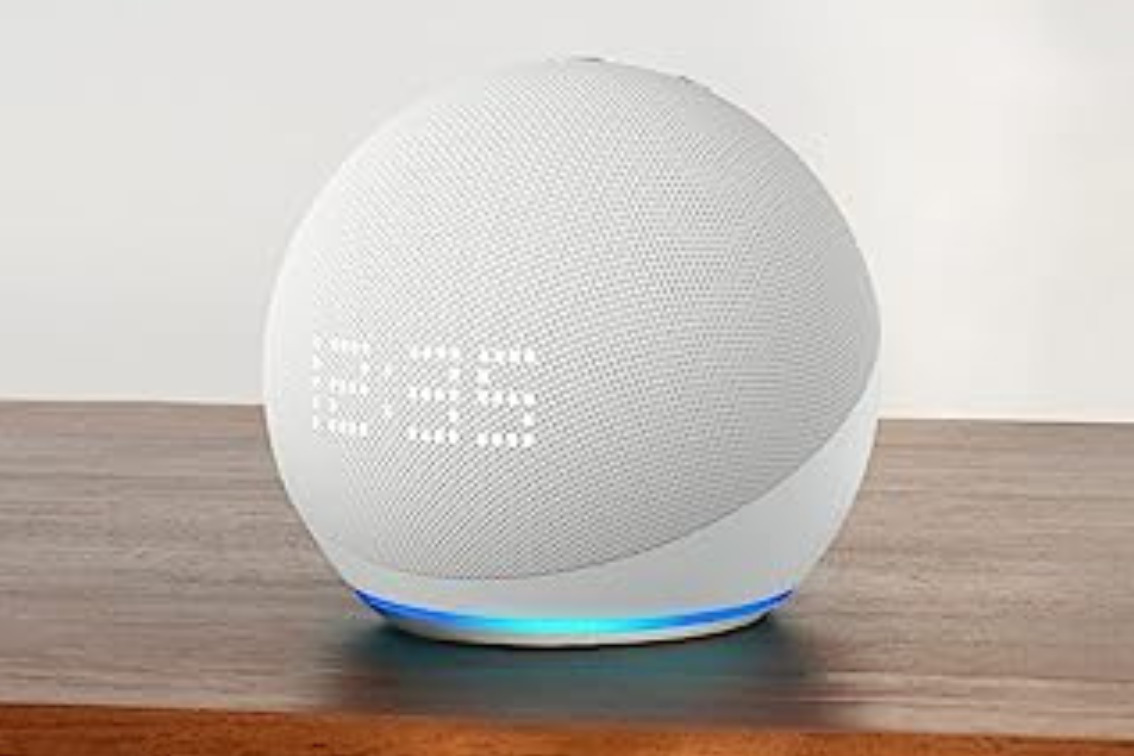
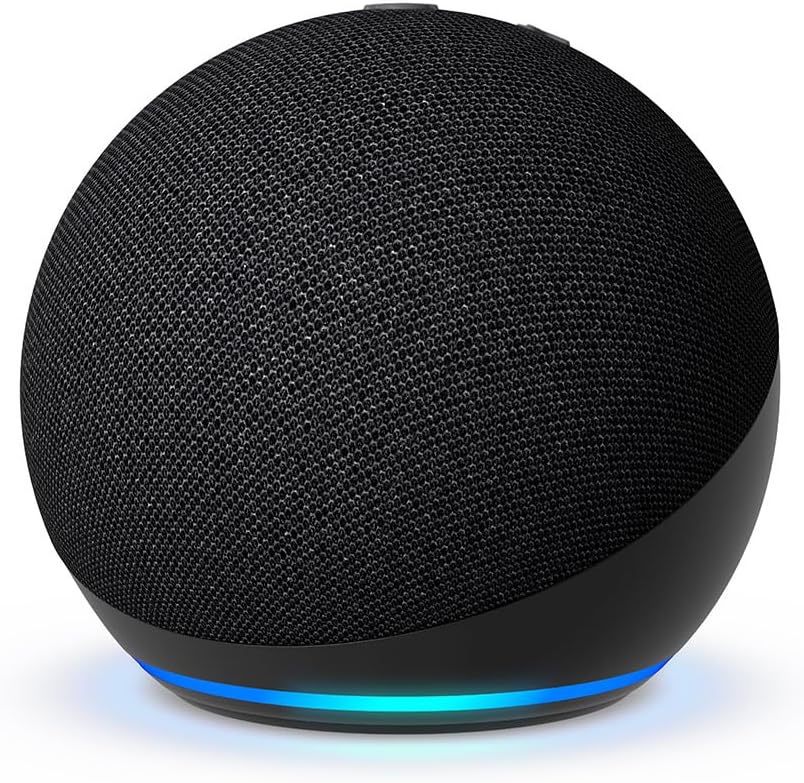
Recommended Option: Echo Dot
Budget-Friendly Alternative: Echo Pop
2. Smart Lighting: Turn Lights On Without Searching for a Switch
Traditional light switches aren’t particularly difficult for most people, but they can become inconvenient when reaching, pressing, or locating a switch is uncomfortable.
Smart lighting gives you several alternatives.
You can control compatible lights with:
- Voice commands
- A smartphone
- Scheduled routines
- Motion sensors
- Automated scenes
Where smart lighting can make the biggest difference
Consider smart lighting for places where switches are inconvenient to reach, such as:
- Bedrooms
- Hallways
- Entryways
- Stair areas
- Beside the bed
- Areas where you spend time sitting
Motion-activated lighting can be especially convenient in areas where you don’t want to search for a switch in the dark.
For additional home-safety ideas, see our guide to Fall Prevention for Arthritis.
What to look for
- Reliable motion detection
- Adjustable brightness
- Easy scheduling
- Compatibility with your preferred voice assistant
- Bulbs that fit your existing fixtures
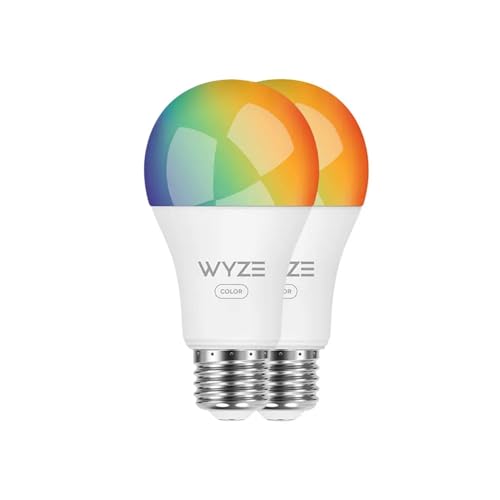
Budget-Friendly Option: Wyze Smart Bulb
3. Smart Plugs: Make Hard-to-Reach Switches Easier to Manage
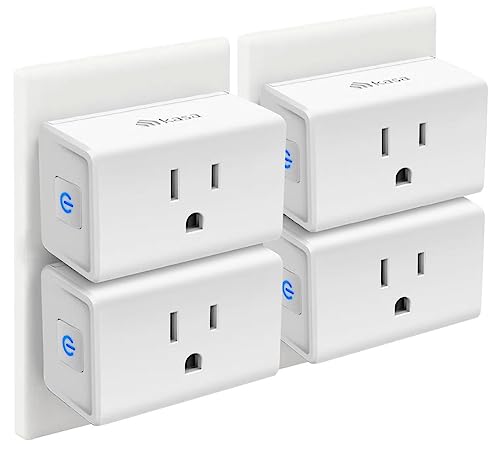
Smart plugs are among the simplest smart-home upgrades.
They plug into an existing electrical outlet and allow compatible devices to be controlled remotely.
That can be useful when a lamp, fan, or other device has a switch that is awkward to reach.
Common uses
Smart plugs can be useful for:
- Lamps
- Fans
- Certain small appliances
- Seasonal lighting
- Devices located behind furniture
You can control a compatible device using an app, voice command, or schedule.
An important limitation
A smart plug doesn’t automatically make every appliance smart.
It generally works best with devices that:
- Turn on when power is supplied, or
- Have a physical switch that can remain in the appropriate position.
Always check the manufacturer’s instructions and electrical ratings before connecting an appliance.
Smart plugs are especially useful when the problem is access to a switch—not when the appliance itself requires several manual controls.
4. Smart Thermostats: Adjust Temperature Without Walking to the Wall
A traditional thermostat requires you to walk over to it and operate its controls.
A smart thermostat can let you adjust the temperature using a phone or compatible voice assistant.
That can be useful if your thermostat is located somewhere inconvenient to reach or if repeatedly walking to it is difficult.
Features worth considering
- Large, readable display
- Remote control through an app
- Voice-assistant compatibility
- Scheduling
- Easy-to-use temperature controls
- Automatic temperature routines
Popular Option: Google Nest Thermostat
Alternative: Amazon Smart Thermostat
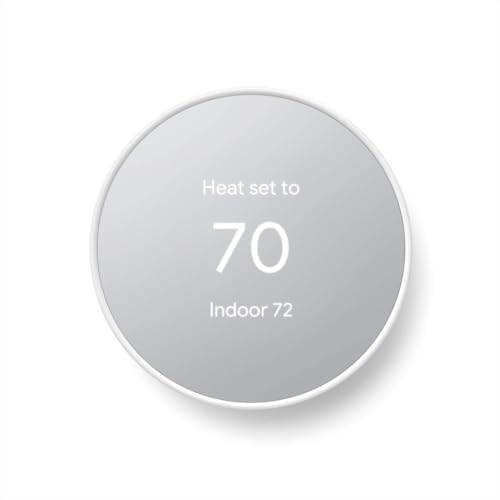
Before purchasing, make sure the thermostat is compatible with your heating and cooling system.
5. Smart Door Locks: Reduce Key Twisting
Traditional keys require a combination of grip, finger control, and wrist rotation.
If turning a key is difficult, a smart lock may provide an alternative.
Depending on the model, you may be able to unlock the door using:
- A keypad
- A smartphone
- A fingerprint
- An electronic key
- An automatic locking function
What to consider
Smart locks vary considerably.
Look for a model that offers an entry method you can comfortably use even if your hands are stiff.
Also consider:
- Battery life
- Backup entry options
- Installation requirements
- Compatibility with your existing door
- Whether you still want a physical key as a backup
A smart lock can reduce the need for key twisting, but it should still provide a reliable way to enter the home if the battery or electronics fail.
Example: Aqara Smart Lock U100

6. Motion-Activated and Touchless Devices
Not every helpful smart-home device needs an internet connection.
Some of the simplest solutions use motion sensors to eliminate repeated manual interactions.
Examples include:
- Motion-sensor lights
- Touchless faucets
- Automatic soap dispensers
- Sensor trash cans
- Motion-activated night lights
These devices can remove small movements that happen dozens of times throughout a normal day.
Why small movements matter
You may not notice turning a faucet handle or switching on a light once.
But when a movement is repeated many times, eliminating it can make a noticeable difference in how much effort a particular task requires.
For someone with hand arthritis, a touchless faucet can eliminate repeated gripping and twisting at the sink.
For someone who finds light switches difficult to operate at night, motion-activated lighting can eliminate the need to search for and press a switch.
Think of these as task-specific accessibility upgrades rather than gadgets you need throughout the entire house.
7. Robot Vacuums: Reduce the Need to Push and Pull a Vacuum
Traditional vacuuming involves pushing, pulling, steering, bending, carrying, and emptying equipment.
A robot vacuum can handle some routine floor cleaning automatically.
Why it may be useful
A robot vacuum can reduce how often you need to:
- Push a heavy vacuum
- Pull a vacuum around furniture
- Bend repeatedly
- Reach into awkward spaces
- Carry the vacuum between areas
However, robot vacuums aren’t completely hands-free.
You still need to:
- Empty or maintain the machine
- Clear obstacles
- Clean brushes and sensors
- Deal with areas it cannot reach
- Occasionally move furniture or objects
For that reason, think of a robot vacuum as a way to reduce routine cleaning effort, not eliminate housework completely.
What to look for
- Easy-to-remove dustbin
- Simple maintenance
- Good obstacle avoidance
- App scheduling
- Automatic charging
- Replacement parts that are easy to obtain

Note: Older robot vacuums can sometimes be a better value, but newer models may offer more advanced navigation and easier maintenance.
8. Motorized Blinds: Open and Close Blinds Without Pulling
Blinds and shades can require repeated pulling, twisting, or reaching.
Motorized window coverings can reduce that physical interaction.
Depending on the system, you may be able to control them using:
- A remote
- A smartphone
- Voice commands
- Automated schedules
When motorized blinds make sense
They’re particularly worth considering when:
- Windows are difficult to reach
- Blind cords are awkward to manipulate
- You frequently adjust blinds throughout the day
- You want them to open or close automatically
You don’t necessarily need to motorize every window.
Start with the blinds that cause the most trouble.
9. Smart Kitchen Devices: Simplify Some Cooking Tasks
The kitchen contains many small movements that can become frustrating with arthritis:
- Pressing buttons
- Turning knobs
- Opening containers
- Lifting cookware
- Reaching into cabinets
- Repeated stirring or preparation
Some smart or electronically controlled appliances can reduce part of that interaction.
Examples include:
- Programmable multi-cookers
- Electric jar openers
- Touchless faucets
- Voice-controlled timers
- Smart plugs for appropriate appliances
However, “smart” doesn’t automatically mean “arthritis-friendly.”
An appliance with a complicated touchscreen may actually be harder to use than a simple appliance with large physical controls.
What to look for
Prioritize:
- Large, easy-to-read controls
- Simple settings
- Minimal button pressing
- Easy-to-open lids
- Easy-to-clean surfaces
- Controls that don’t require strong pinching or twisting
For a broader range of non-smart kitchen solutions, see our guide to Arthritis-Friendly Kitchen Tools.
10. Smart Routines: Sometimes the Most Useful Feature Is Automation
One of the biggest advantages of smart-home technology isn’t an individual gadget.
It’s the ability to make several devices work together.
For example, a bedtime routine might:
- Turn off selected lights
- Turn on a hallway night light
- Adjust the thermostat
- Lock compatible doors
A morning routine could:
- Turn on selected lights
- Adjust the thermostat
- Start a compatible appliance
The exact possibilities depend on the devices and smart-home platform you use.
Why routines can be useful
If you perform the same actions every day, automation can remove several small interactions at once.
This is particularly valuable when the goal isn’t to solve one major problem but to reduce a collection of repetitive tasks.
Best Smart Home Gadgets by the Problem They Solve
| If you have difficulty with… | Consider… | Main movement reduced |
|---|---|---|
| Pressing light switches | Smart bulbs or motion lights | Pressing and reaching |
| Reaching switches | Smart plugs | Reaching |
| Turning keys | Smart locks | Gripping and twisting |
| Adjusting the thermostat | Smart thermostat | Reaching and walking |
| Vacuuming | Robot vacuum | Pushing, pulling, bending |
| Pulling blinds | Motorized blinds | Pulling and reaching |
| Turning faucet handles | Touchless faucet | Gripping and twisting |
| Repeated appliance controls | Appropriate smart appliances | Pressing and turning |
| Controlling several devices | Voice assistant and routines | Multiple physical interactions |
How to Choose a Smart Home Gadget for Arthritis
Don’t start by asking:
“What is the coolest smart-home gadget?”
Start with:
“What household task is giving me the most trouble?”
Then work backward.
1. Identify the difficult movement
Is the problem:
- Gripping?
- Pinching?
- Twisting?
- Reaching?
- Bending?
- Pressing?
- Pushing?
- Pulling?
2. Ask whether technology can eliminate that movement
A smart lock can replace key twisting.
A motion light can replace switch pressing.
A voice assistant can replace several physical controls.
A robot vacuum can replace much of the pushing and pulling involved in routine vacuuming.
3. Consider whether a simpler solution would work
You don’t necessarily need smart technology.
A lever handle may solve a difficult door-knob problem.
A larger switch may be easier than a smart bulb.
A reacher may solve a difficult reaching problem.
A built-up handle may be all you need for a particular task.
For more low-tech ideas, see Arthritis Hacks That Make Everyday Life Easier.
4. Consider setup and maintenance
A device that removes one difficult movement but creates five difficult setup tasks may not be an improvement.
Before buying, consider:
- How complicated is installation?
- Will you need to use a smartphone?
- Does it require frequent charging?
- What happens if the internet goes down?
- What happens if the battery dies?
- Can you still operate the device manually?
The best device is one you can comfortably use and maintain.
Common Smart Home Buying Mistakes
Buying a device because it’s “smart”
Smart technology isn’t automatically easier for people with arthritis.
A complicated touchscreen can require more fine finger movements than a simple physical switch.
Ignoring compatibility
Check whether the device works with your existing:
- Voice assistant
- Smart-home platform
- Wi-Fi network
- Electrical system
- Door hardware
- Heating system
Forgetting about batteries
Smart locks, sensors, remotes, and other wireless devices may require battery replacement or charging.
If manipulating small batteries is difficult, consider how you’ll handle maintenance before purchasing.
Automating something that doesn’t need automation
If you use a lamp once a day and the switch is easy to reach, a smart plug may not add much value.
Spend money where automation solves a real problem.
Making the system too complicated
The more devices and platforms you add, the more complicated your smart-home system can become.
For many people, starting with one or two useful upgrades is better than trying to automate the entire house at once.
Smart Home Gadgets vs. Simple Arthritis Adaptations
Smart technology is only one way to make your home easier to use.
Sometimes a simple adaptation is better.
| Problem | Smart solution | Simple alternative |
|---|---|---|
| Difficult light switch | Smart bulb | Larger/easier switch |
| Difficult door knob | Smart lock | Lever-style handle |
| Hard-to-reach appliance | Smart plug | Move appliance |
| Difficult vacuuming | Robot vacuum | Lightweight vacuum |
| Hard-to-reach items | Automation may not help | Reacher |
| Difficult kitchen controls | Smart appliance | Appliance with larger controls |
This is why it helps to identify the specific movement causing the problem before buying anything.
For a broader look at practical adaptations, see Arthritis Supplies & Tools: Complete Guide to Daily Living Aids.
Do You Need Smart Technology to Stay Independent?
No.
Smart-home technology can make certain tasks easier, but it isn’t a requirement for maintaining independence.
Simple changes can sometimes have a greater effect:
- Move frequently used items to easier-to-reach locations.
- Replace difficult knobs with lever-style handles where appropriate.
- Use larger grips on tools and household objects.
- Keep a reacher in areas where bending is difficult.
- Use a cart rather than carrying heavy items.
- Sit down for tasks that don’t require standing.
The goal is not to make your home as technologically advanced as possible.
The goal is to make your home work better for you.
Where to Start: Choose One Problem
If you’re new to smart-home technology, don’t try to automate everything at once.
Choose one recurring problem.
For example:
Problem: The bedroom light switch is difficult to reach from bed.
Possible solution: A smart bulb controlled by voice or a bedside routine.
Or:
Problem: Turning the front-door key is difficult.
Possible solution: A keypad or other keyless-entry system.
Or:
Problem: Pushing the vacuum around the house is exhausting.
Possible solution: A robot vacuum for routine floor cleaning.
Solve that one problem first.
If the solution genuinely makes life easier, you can decide whether another smart-home upgrade is worthwhile.
Frequently Asked Questions
What are the best smart home gadgets for people with arthritis?
The best device depends on which household movements are difficult. Smart lights, voice assistants, smart plugs, keyless locks, motion sensors, smart thermostats, robot vacuums, and motorized blinds can all reduce different types of physical interaction.
Can smart home devices help with hand arthritis?
They can. Voice control, motion sensors, smart plugs, and other automated devices can reduce the need to grip, pinch, twist, or repeatedly press small controls. The benefit depends on the specific task and the device.
Are smart lights good for arthritis?
Smart lights can be useful when operating a traditional switch is difficult or inconvenient. They can be controlled by voice, an app, a schedule, or motion sensor depending on the system.
Can a smart lock help with arthritis?
A smart lock can provide alternatives to turning a traditional key. Depending on the model, you may be able to use a keypad, smartphone, fingerprint, or another electronic entry method. Choose a system with a backup entry method in case the battery or electronics fail.
Are robot vacuums worth it for someone with arthritis?
They can be worthwhile if pushing and pulling a traditional vacuum is difficult. A robot vacuum can reduce routine floor-cleaning effort, although it still requires maintenance and may not clean every area of the home.
What is the easiest smart home device to start with?
A smart bulb, smart plug, or voice assistant can be a relatively simple starting point. Choose the device that solves a specific problem you encounter regularly rather than buying several devices at once.
Do smart home gadgets require a smartphone?
Not necessarily. Some devices can be controlled by voice, remote control, physical buttons, or automated schedules. However, many smart-home products use a smartphone during setup and for some advanced features.
Related Reading
- Arthritis Hacks That Make Everyday Life Easier
- Arthritis Supplies & Tools: Complete Guide to Daily Living Aids
- Arthritis-Friendly Kitchen Tools
- Adaptive Clothing and Dressing Aids for Arthritis
- Bathroom Safety Aids for Arthritis
- Fall Prevention for Arthritis
Medical Disclaimer: This article is for informational purposes only and does not constitute medical advice. Always consult your doctor, rheumatologist, or occupational therapist before making changes to how you manage your arthritis.
