

Disclosure: As an Amazon Associate, Arthritis Wares earns from qualifying purchases at no extra cost to you. We are not paid or sponsored by any manufacturer. Affiliate links help support our work.
If you spend hours at a desk, your workspace setup can either work with your joints or against them. Small changes to your keyboard, mouse, monitor height, and desk layout can meaningfully reduce hand, wrist, and neck strain over the course of a workday.
This guide covers the tools and setup choices that make the biggest difference for people managing arthritis — starting with the pieces most people overlook.
How We Chose These Tools
We picked at least three price tiers per category — keyboard, mouse, monitor riser, wrist rest — so there’s a real starting point whether you’re testing an idea cheaply or ready to invest in a long-term fix.
Start With Your Seating
Your chair is the foundation of an arthritis-friendly workspace, and it deserves its own deep dive. See our full guide to ergonomic chairs for arthritis. Once your seating is sorted, the tools below can address the rest of your setup.
Ergonomic Keyboards: Reducing Strain at the Source
A flat, standard keyboard forces your forearms to rotate inward and your wrists to bend upward — a combination that’s manageable for healthy joints but can accelerate pain in arthritic hands. Split and tented designs correct this by letting each hand type at its own natural angle.
Our Picks
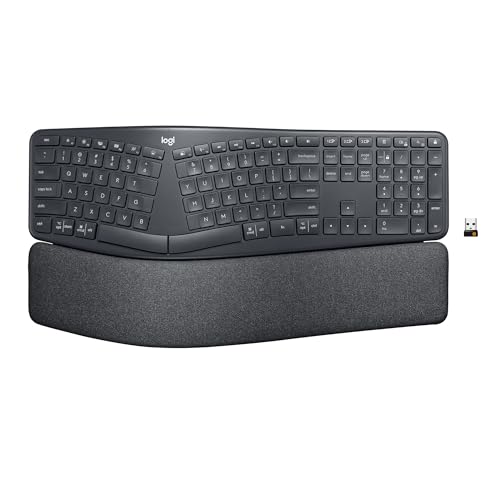
Best Overall: Logitech Ergo K860
A curved, wave-shaped keyboard with a built-in cushioned wrist rest and negative tilt (the back sits lower than the front), which keeps wrists in a more neutral position without a steep learning curve. A good starting point for most people transitioning from a standard keyboard.
Best for Serious Hand Pain: Kinesis Advantage360
A fully split, contoured keyboard with true adjustable tenting and light-actuation mechanical switches. It has a real adjustment period (expect a temporary drop in typing speed), but offers the most significant relief for people with persistent hand or wrist pain who are ready to invest in a long-term fix.

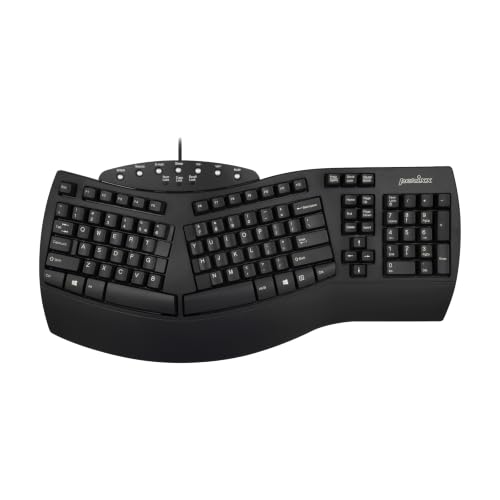
Best Budget Option: Perixx Periboard-512
A wired, split ergonomic keyboard with a wave layout and built-in wrist rest. It skips tenting and uses membrane switches, but delivers the basic ergonomic shape that matters most for arthritic hands at a fraction of the cost of premium options.
Ergonomic Mice: Beyond the Standard Grip
A standard mouse requires repeated gripping and a flat, pronated hand position that can aggravate hand and wrist joints. Vertical mice rotate your hand into a relaxed “handshake” position instead.
Our Picks
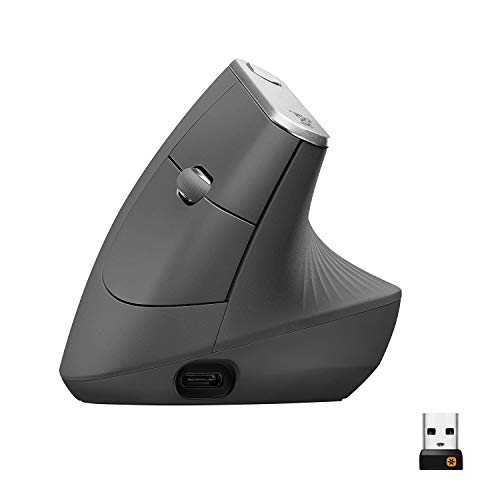
Best Overall: Logitech MX Vertical
A 57-degree vertical angle designed to reduce muscular strain compared to a standard mouse, with a textured grip and a rechargeable battery that lasts months on a single charge. Best suited to medium-to-large hands.
Best for Smaller Hands: Logitech Lift
The same handshake-angle design as the MX Vertical in a smaller body, with a left-handed version available — a rarity among vertical mice. A gentler learning curve makes it a good first vertical mouse.

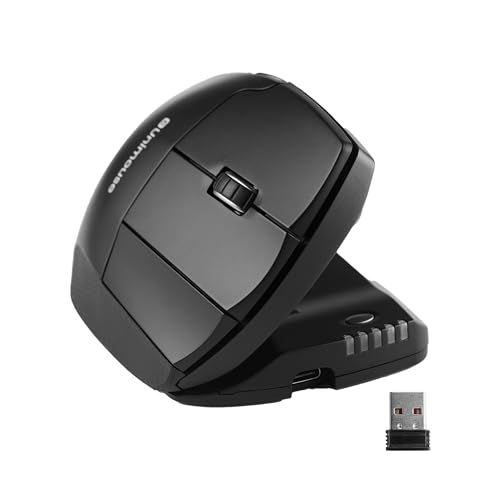
Best for Custom Fit: Contour Unimouse
Unlike fixed-angle vertical mice, the Unimouse adjusts anywhere from 35 to 70 degrees, with an independently adjustable thumb rest. Worth considering if a standard vertical mouse’s fixed angle hasn’t felt right for your hand or thumb joint.
Monitor Risers: An Easy Fix for Neck and Shoulder Strain
A monitor sitting too low forces you to hunch forward, which can compound neck and shoulder stiffness over a workday. Raising your screen to eye level is one of the simplest and least expensive ergonomic upgrades available.
Our Picks
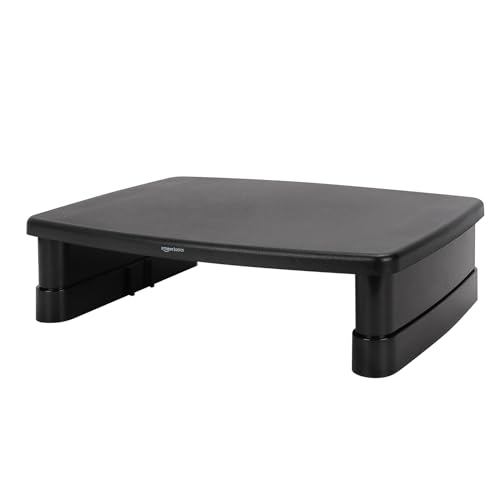
Best Value: Amazon Basics Height Adjustable Monitor Stand Riser
Three adjustable height settings covering the range most seated setups need, with tens of thousands of reviews backing its stability. A low-cost way to test whether a riser solves your neck strain before considering a pricier monitor arm.
Best for Dual Monitors: VIVO Dual Monitor Stand Riser
A wide platform built to support two monitors side by side, raising both to eye level while keeping desk space organized underneath.

Note: if you need to reposition your monitor frequently throughout the day rather than set it at one fixed height, a VESA-compatible monitor arm offers more flexibility than a riser, though at a higher cost.
Wrist Rests: Small Support, Real Difference
A wrist rest keeps your wrists in a neutral position during typing pauses, reducing pressure on the tendons and nerves that run through the wrist.
Our Picks
Best Overall Value: Gimars Memory Foam Keyboard and Mouse Wrist Rest Set
A matched keyboard and mouse wrist rest set with thick memory foam and a non-slip base. One of the most reviewed options available, offering strong comfort at a lower price than premium alternatives.

Best Arthritis-Specific Design: Dr. Arthritis Ergonomic Wrist Rest
Designed by medical doctors with an angled, contoured shape rather than a uniform bar, intended to correct typing form specifically for painful or stiff joints. Includes a matching mouse wrist rest.

Reducing Typing Altogether
Sometimes the best ergonomic tool is the one that replaces typing rather than improving it. Voice-to-text tools like Dragon NaturallySpeaking or the built-in voice typing feature in Google Docs can cut down on keystrokes significantly, which may help on flare-up days when typing is especially difficult.
Building in Movement
Even the best setup can’t fully offset sitting still for hours. A recurring timer or reminder app can prompt a short stretch break every 30 to 45 minutes, which many occupational therapists suggest as a baseline for reducing stiffness from prolonged sitting.
Frequently Asked Questions
What is the single most important ergonomic upgrade for arthritis?
There’s no universal answer since it depends on which joints are most affected, but an ergonomic mouse is often the highest-impact, lowest-cost change for people with hand or wrist arthritis, since a standard mouse requires frequent gripping and clicking.
How long does it take to adjust to a split or vertical ergonomic keyboard or mouse?
Most people need one to two weeks to adjust to a new angle or layout. Typing speed may temporarily drop during this period, so it’s worth trying a budget option first if you’re unsure whether the adjustment period is worth it for you.
Do standing desks help with arthritis?
Adjustable-height desks that let you switch between sitting and standing tend to help more than a fixed standing desk, since staying in any single position for too long can increase stiffness. The ability to alternate is the key benefit.
Final Thoughts
You don’t need to overhaul your entire office at once. Start with whichever joint gives you the most trouble — hands, wrists, or neck — and address that first. Small, targeted changes tend to compound into a workspace that genuinely works with your body instead of against it.
Related Reading
- Best Ergonomic Office Chairs for Arthritis Relief (2026 Comparison Guide)
- Manage Arthritis Fatigue: 10 Powerful Tips to Restore Your Energy
Medical Disclaimer: This article is for informational purposes only and does not constitute medical advice. Always consult your doctor, rheumatologist, or occupational therapist before making changes to how you manage your arthritis.
